

Track competitors
Competitors helps you monitor brands that appear in AI answers alongside or instead of your company.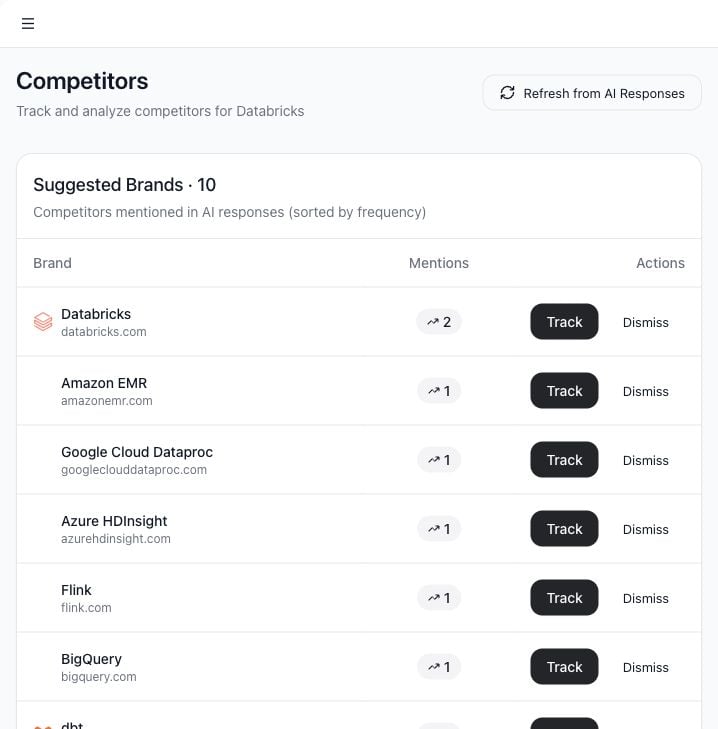
Use cases
- Track known competitors.
- Discover competitors mentioned by AI models.
- See which suggested brands appear most often.
- Dismiss irrelevant suggestions.
- Refresh suggestions after running more AI tests.
Open Competitors
- Select Competitors in the sidebar.
- Review tracked competitors and suggested brands.
Suggested brands
Suggested brands come from names Tamlr finds in AI answers when possible. If there is not enough response history yet, Tamlr can suggest likely competitors from company context. Each suggested brand can be:- Tracked: add it to the competitor list.
- Dismissed: remove it from suggestions.
Refresh from AI responses
Use Refresh from AI Responses after running more prompts. Tamlr scans recent answers and updates suggestions based on brands mentioned in those answers.Tracked competitors
Tracked competitors help other areas of the app classify source domains and compare visibility. Keeping this list clean improves dashboard comparisons and gap analysis.How competitors affect the workspace
- Dashboard comparisons use your tracked competitor list.
- Source Domains uses competitor websites to classify cited sources.
- Prompt results can show when competitors appear instead of your company.
- Suggested competitors improve as you run more realistic buyer prompts.